What is ChannelX?
ChannelX is a single dashboard for every customer conversation your business has — voice calls, website live chat, WhatsApp, Instagram, Facebook, SMS, email, and more. Instead of switching between separate apps and losing track of who said what, your whole team works out of one place, with shared context, history, and tools.
Think of it as your team's shared inbox for customers — extended with the automation, reporting, and AI helpers a real support operation needs, and integrated with Localcom's Nexus UC voice platform and Localcom AI.
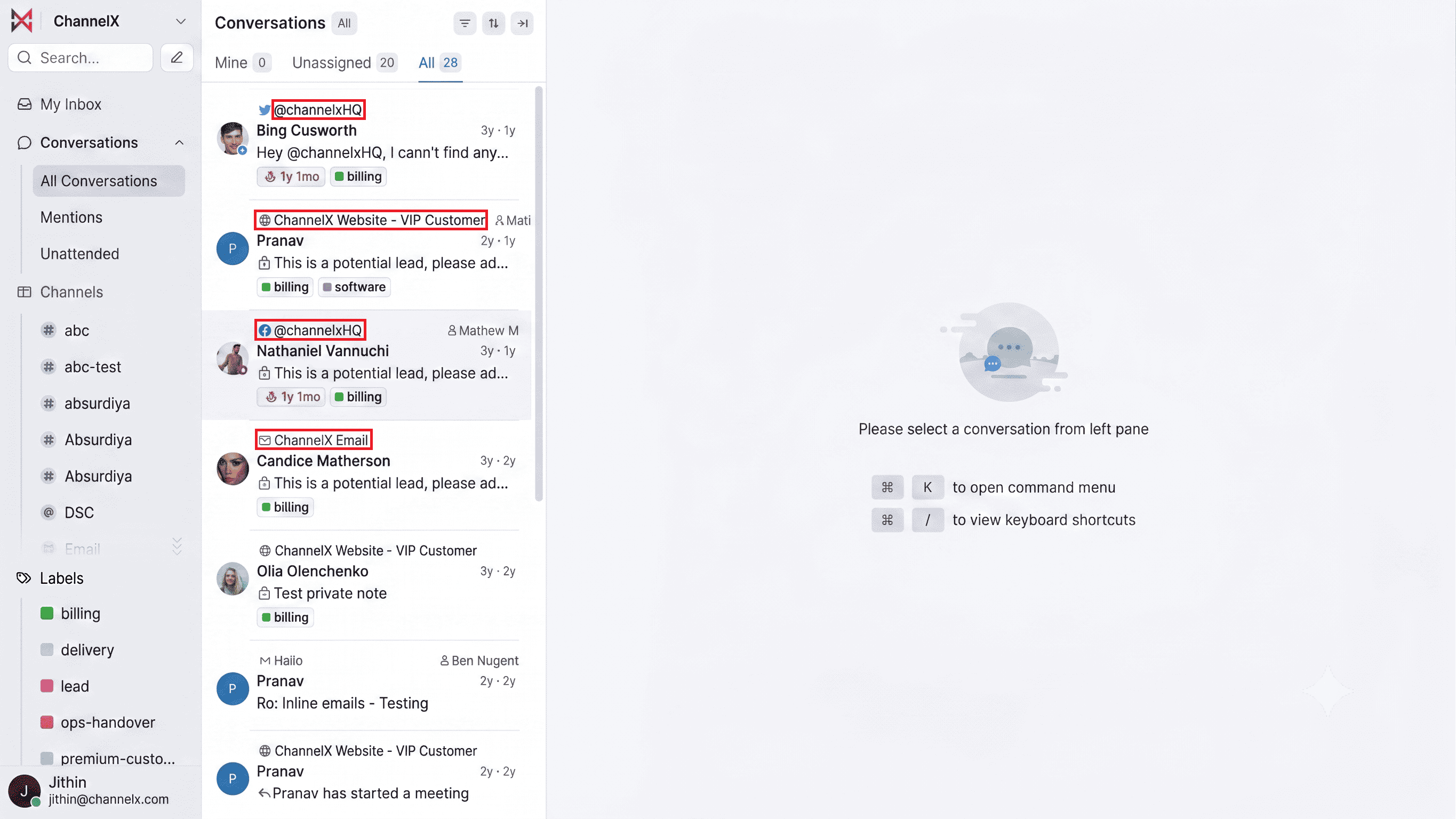
Channels and inboxes
This is the one concept worth understanding before anything else.
A channel is a type of communication — voice, website, WhatsApp, SMS, email, and so on.
An inbox is a specific instance of a channel connected to your account. For example:
- A support email address is an email inbox.
- The chat widget on your website is a website inbox.
- A voice extension routed through Nexus UC is a voice inbox.
- A WhatsApp business number is a WhatsApp inbox.
You can have as many inboxes as you need, even several of the same type (one website inbox for sales, another for support). Every incoming message lives inside an inbox, and each inbox can have its own agents, business hours, greeting, and routing rules.
Tip
Don't overthink your inbox layout on day one. Start with one, get comfortable, then split things up as your team grows.
How a message becomes a conversation
Here's the lifecycle of a single customer message — keep it in mind as you explore the rest of the platform:
- A customer reaches out on one of your channels (for example, types into your website widget or calls a voice extension).
- ChannelX creates a conversation in the matching inbox. It starts in Open status — or Pending if an AI assistant is handling it first.
- An agent is assigned — automatically via an assignment policy, or manually.
- The agent replies from the dashboard. The reply goes back to the customer over the same channel they used.
- The conversation is resolved once the issue is handled. It isn't deleted — the full history stays searchable and attached to the contact.
Conversations have four common statuses: Open, Pending, Snoozed, and Resolved. You'll meet all of them as you go.
Next
Continue to Your First Conversation to set up an inbox and send your first reply.