API Channel
The API channel lets you build a custom inbox for any source ChannelX does not support natively. You push messages in and receive replies through a callback URL, which makes it ideal for connecting bespoke chat widgets, mobile apps, or third-party platforms.
Set up the API channel
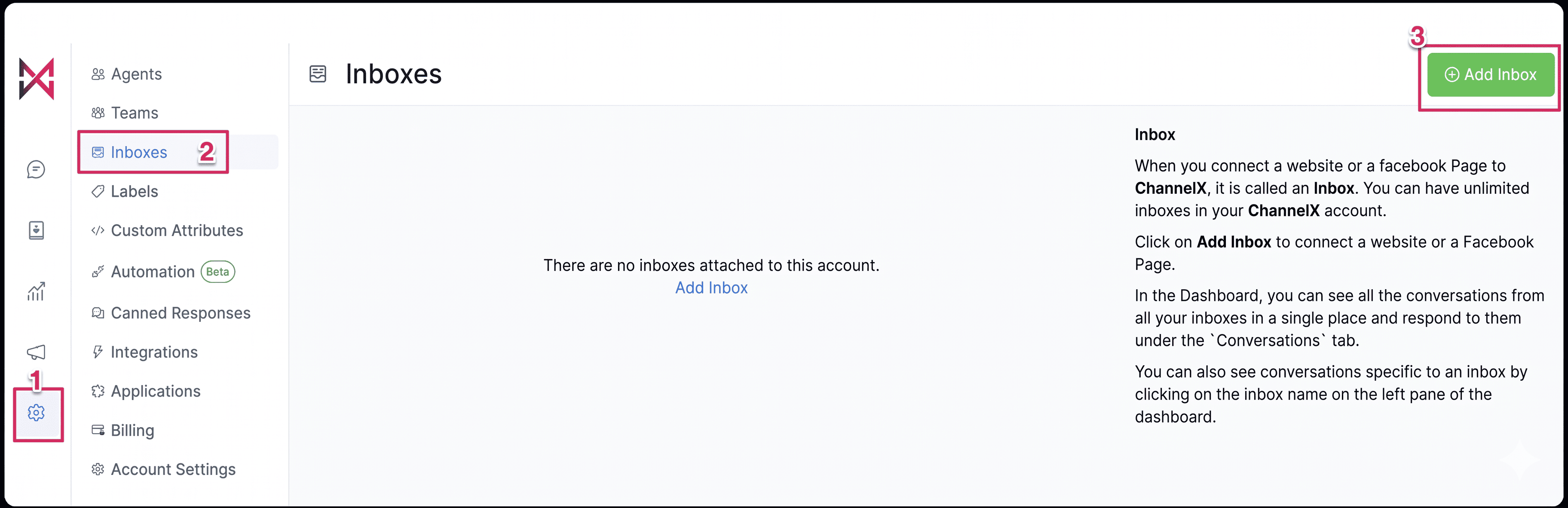
- Go to Settings → Inboxes → Add Inbox.
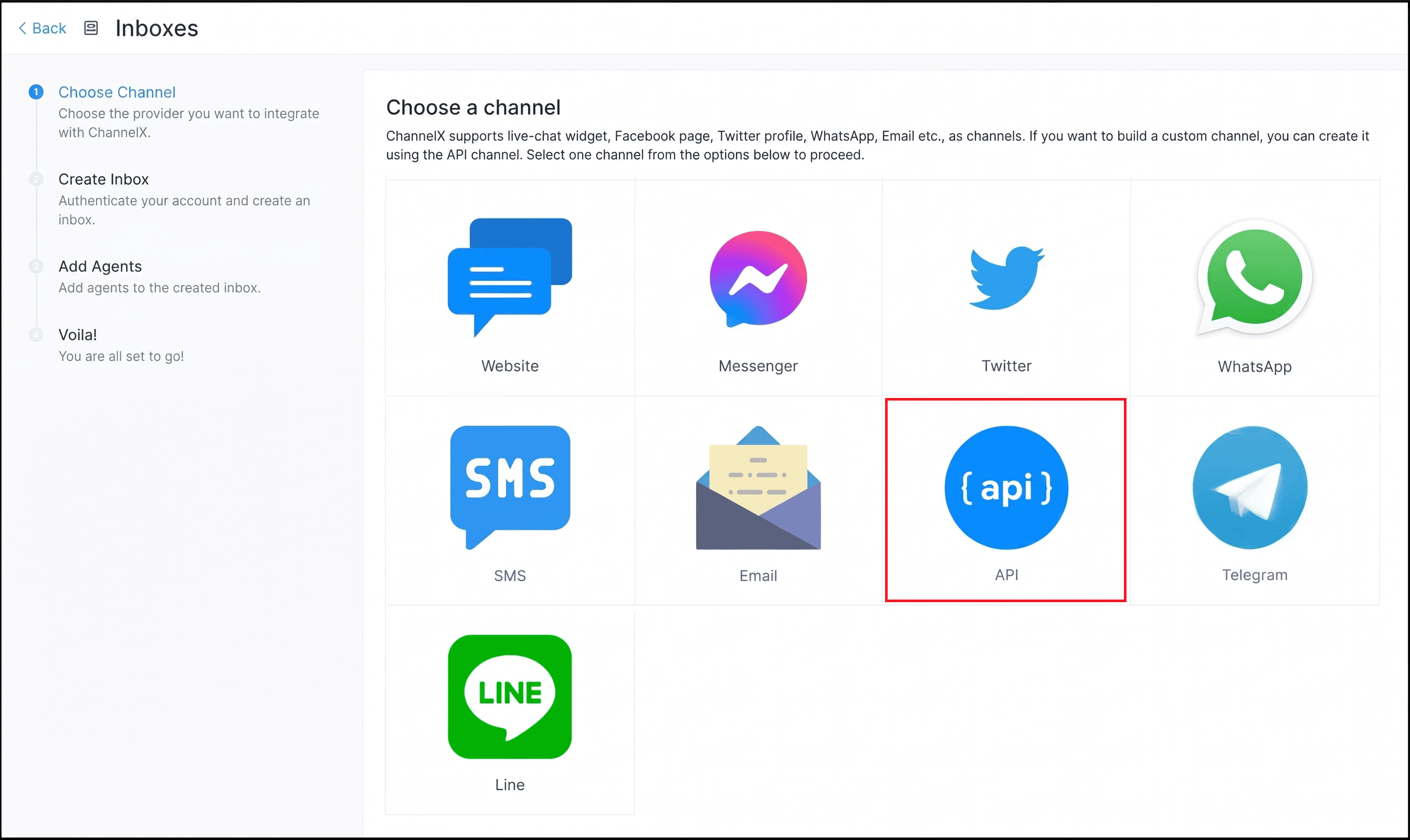
 2. Click the API icon.
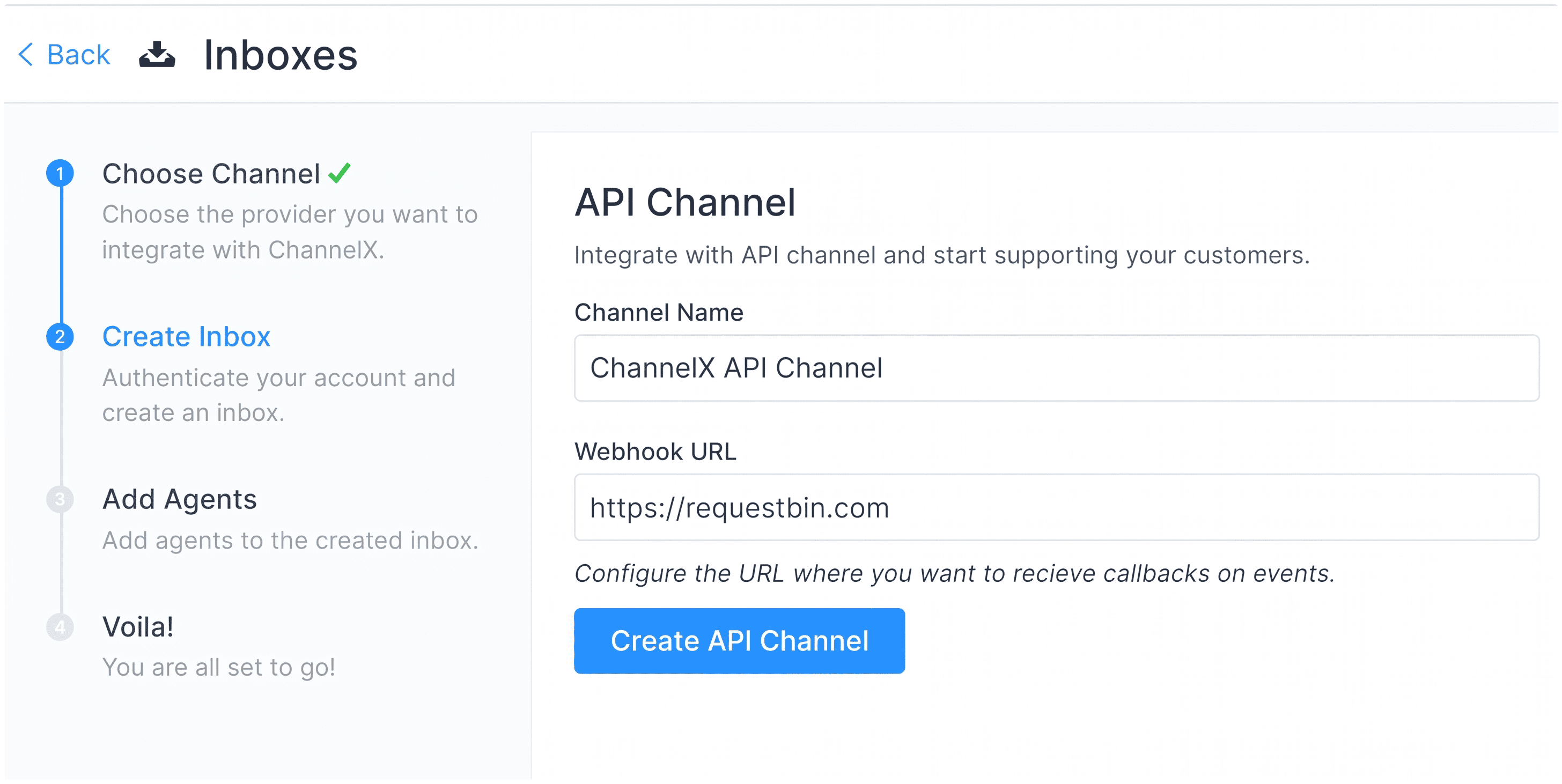
 3. Provide a channel name and a callback URL (where ChannelX will POST new message events).
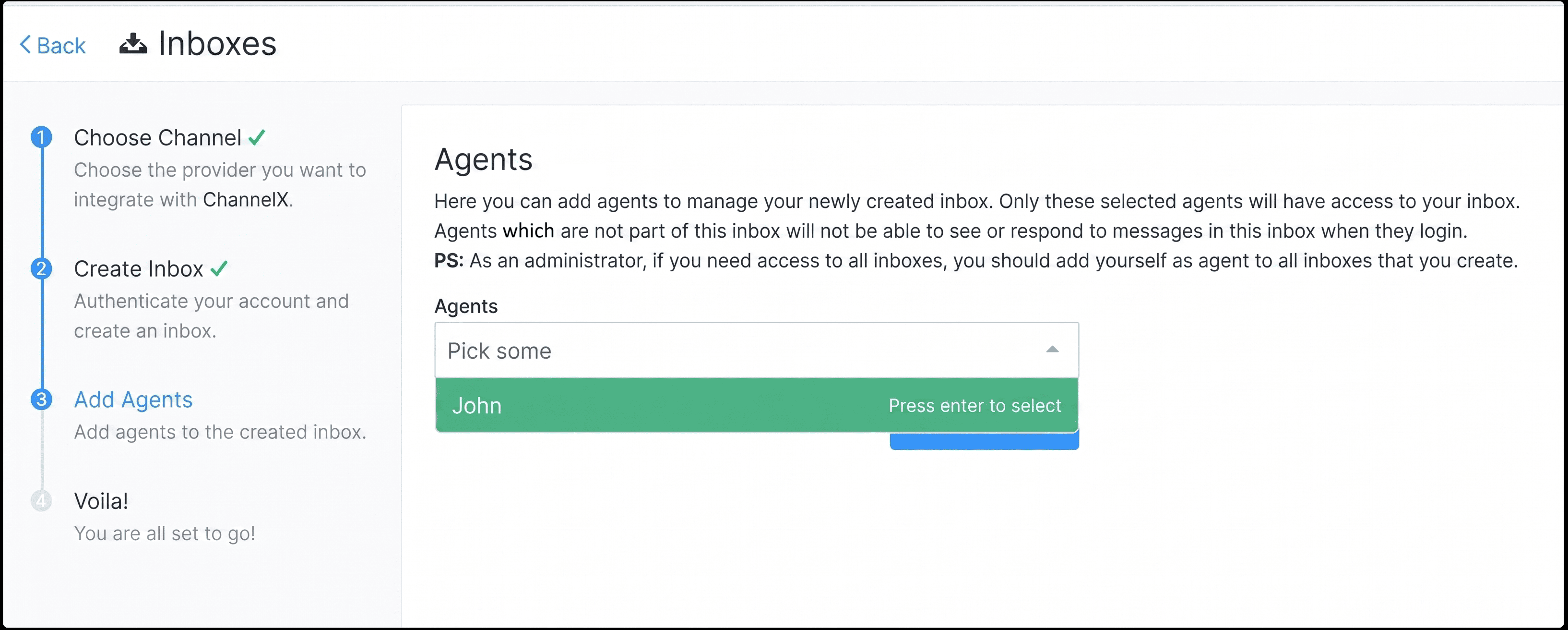
 4. Add agents to the inbox.
 Your API inbox is now ready.
Key concepts
ChannelX organizes conversations around a few models. Understanding them makes the API easier to work with:
- Channel — The source type of a conversation (Facebook, SMS, API, and so on).
- Inbox — A specific source of one channel type. You can have several inboxes of the same channel.
- Conversation — A collection of messages.
- Contact — The real person associated with a conversation.
- Contact inbox — A contact's session within an inbox, identified by a
source_id. A contact can have multiple sessions and conversations in the same inbox.
Send a message into the channel
All API requests require an api_access_token in the request header. You can find this under your Profile settings → Access Token.
Protect your access token
The access token grants full API access to your account. Store it as a secret on the server side, never embed it in client-side code or public repositories, and rotate it if it is ever exposed.
Sending a message takes three calls:
- Create a contact — Pass the inbox ID of the API channel. The response includes a
contact_inboxesarray, and each entry has asource_idthat acts as the session identifier. - Create a conversation — Use the
source_idfrom the previous step. The response returns a conversation ID. - Create a message — Use the conversation ID. Messages are either incoming (sent by the end user) or outgoing (sent by an agent).
A successful message call returns a payload like this:
{
    "id": 0,
    "content": "This is an incoming message from API Channel",
    "inbox_id": 0,
    "conversation_id": 0,
    "message_type": 0,
    "content_type": null,
    "content_attributes": {},
    "private": false,
    "sender": {
        "id": 0,
        "name": "Contact",
        "type": "contact"
    }
}
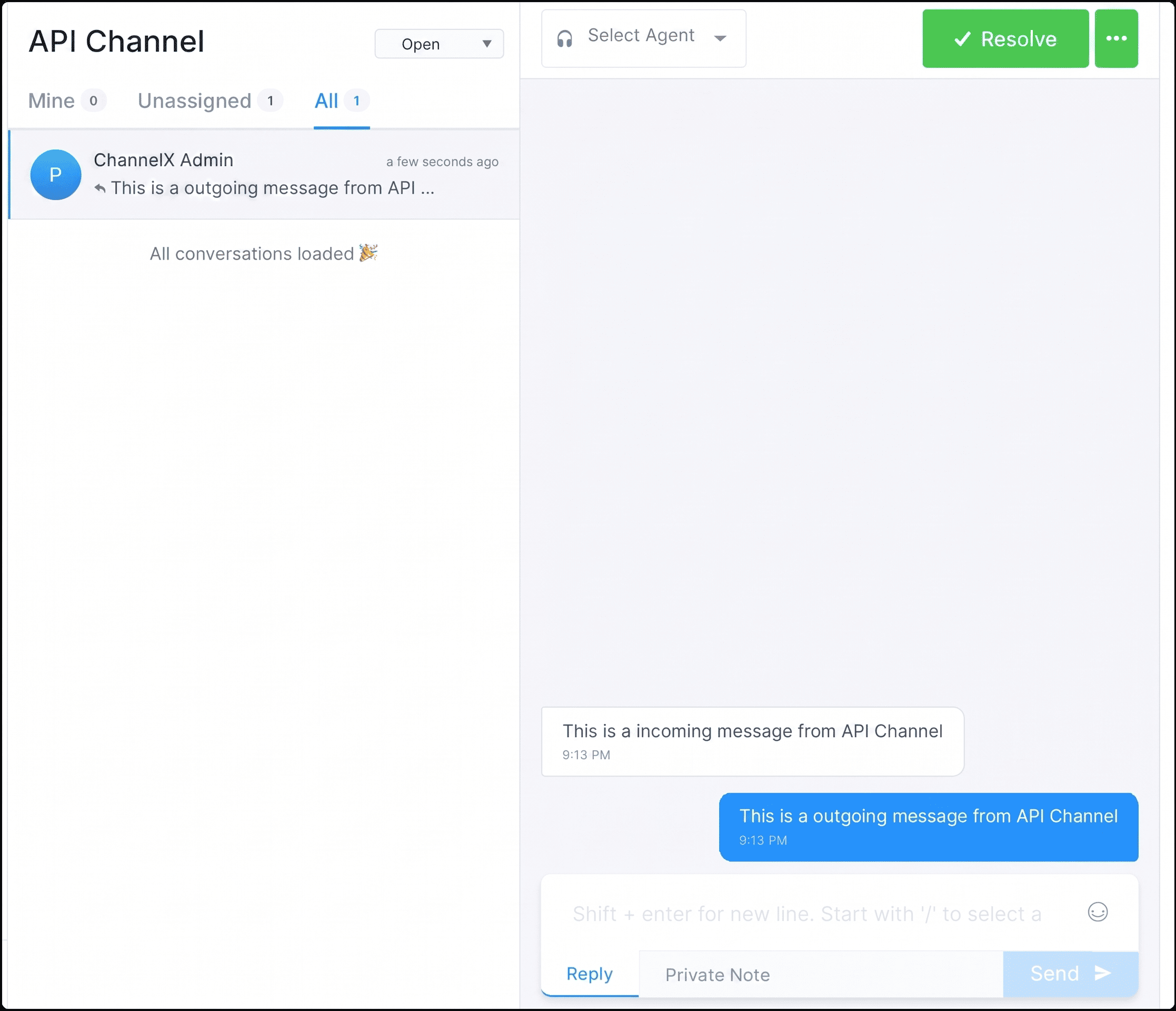
The conversation then appears on the agent dashboard.
Receive messages with the callback URL
When a new message is created in the API channel, ChannelX sends a POST request to your callback URL. The event type is message_created, and the payload includes the message content, sender, inbox, conversation, and account details:
{
  "id": 0,
  "content": "This is an incoming message from API Channel",
  "message_type": "incoming",
  "sender": {
    "id": 0,
    "name": "contact-name",
    "type": "contact"
  },
  "inbox": { "id": 0, "name": "API Channel" },
  "conversation": {
    "channel": "Channel::Api",
    "id": 0,
    "inbox_id": 0,
    "status": "open"
  },
  "event": "message_created"
}
Verifying webhook payloads
When you create an API channel, ChannelX generates a secret you can use to verify that incoming webhook payloads genuinely come from your installation.
Warning
Always verify the webhook signature before trusting a payload. Skipping verification lets an attacker forge messages into your system. Reject any request whose signature does not match the generated secret.
Build customer-facing interfaces with client APIs
Client APIs let you build your own front-end experiences — a custom chat interface instead of the built-in widget, an in-app conversation view, or an integration for a platform with no official SDK.
To create and retrieve customer objects you need two identifiers:
- Inbox identifier — Found under your API channel's Settings → Configuration.
- Customer identifier — The
source_idreturned when you create the contact. Store this on the client side (for example in cookies or local storage) to make later requests on the customer's behalf.
With the client APIs you can create, view, and update contacts; create and list conversations; and create, list, and update messages.
HMAC identity validation
The client APIs support HMAC authentication so you can validate a customer's identity and prevent impersonation.
Tip
Use HMAC identity validation in any client-facing integration where you know who the user is. It cryptographically ties each request to a verified identity, which stops one user from loading another user's conversations.
Real-time updates over WebSockets
To receive live updates from the agent dashboard, connect to the ChannelX WebSocket endpoint at <your installation url>/cable. Subscribe using the customer's pubsub_token (returned during contact creation) to receive events directed at that customer object.