Email Continuity
A live chat is only "live" while both people are at their screens. Email continuity bridges the gap: when a visitor leaves the widget before the conversation is finished, ChannelX can move the thread to email so it keeps going. This matters most when:
- No agent is available and the customer leaves a message.
- The customer leaves the chat before an agent has replied.
For this to work, ChannelX needs the contact's email address on record.
Capturing the customer's email
There are three ways an email address reaches ChannelX:
- From the SDK — if your app already knows the user's email, pass it with the
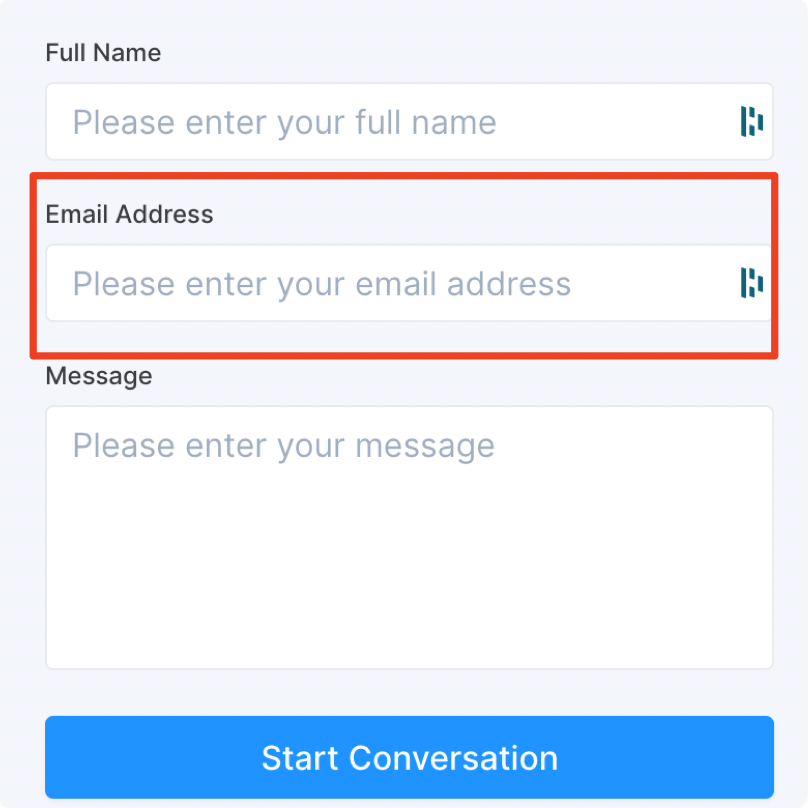
setUsermethod in the live chat SDK. - From the pre-chat form — enable a pre-chat form that asks for an email before the conversation starts.
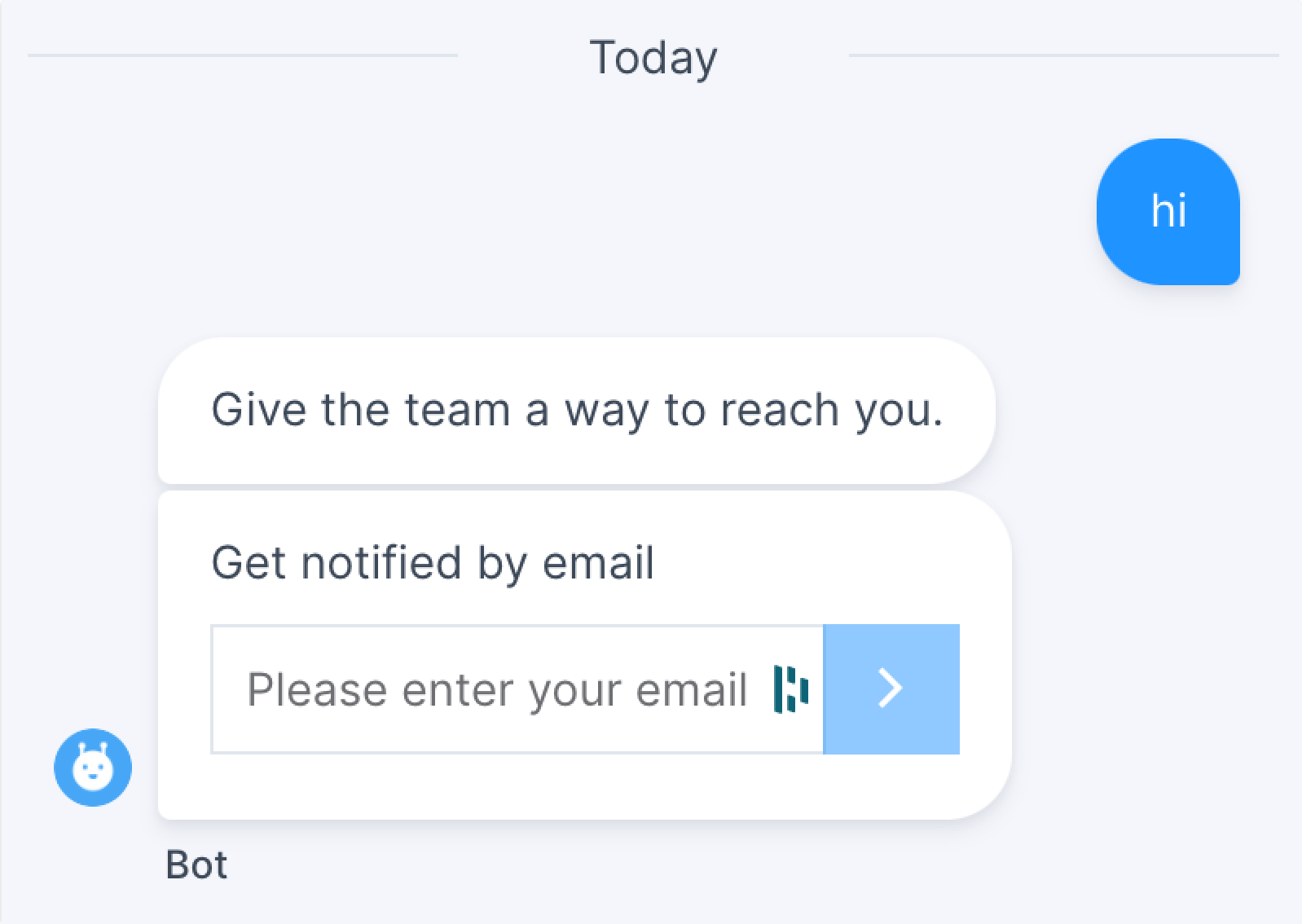
- From the email collect prompt — when there's no pre-chat form and the email is unknown, the widget automatically prompts the visitor for one as the conversation begins.
How continuity works
Once an email is on file and the customer leaves the chat after an agent has replied:
- The customer receives an email containing a summary of the conversation. They can simply reply to that email to continue.
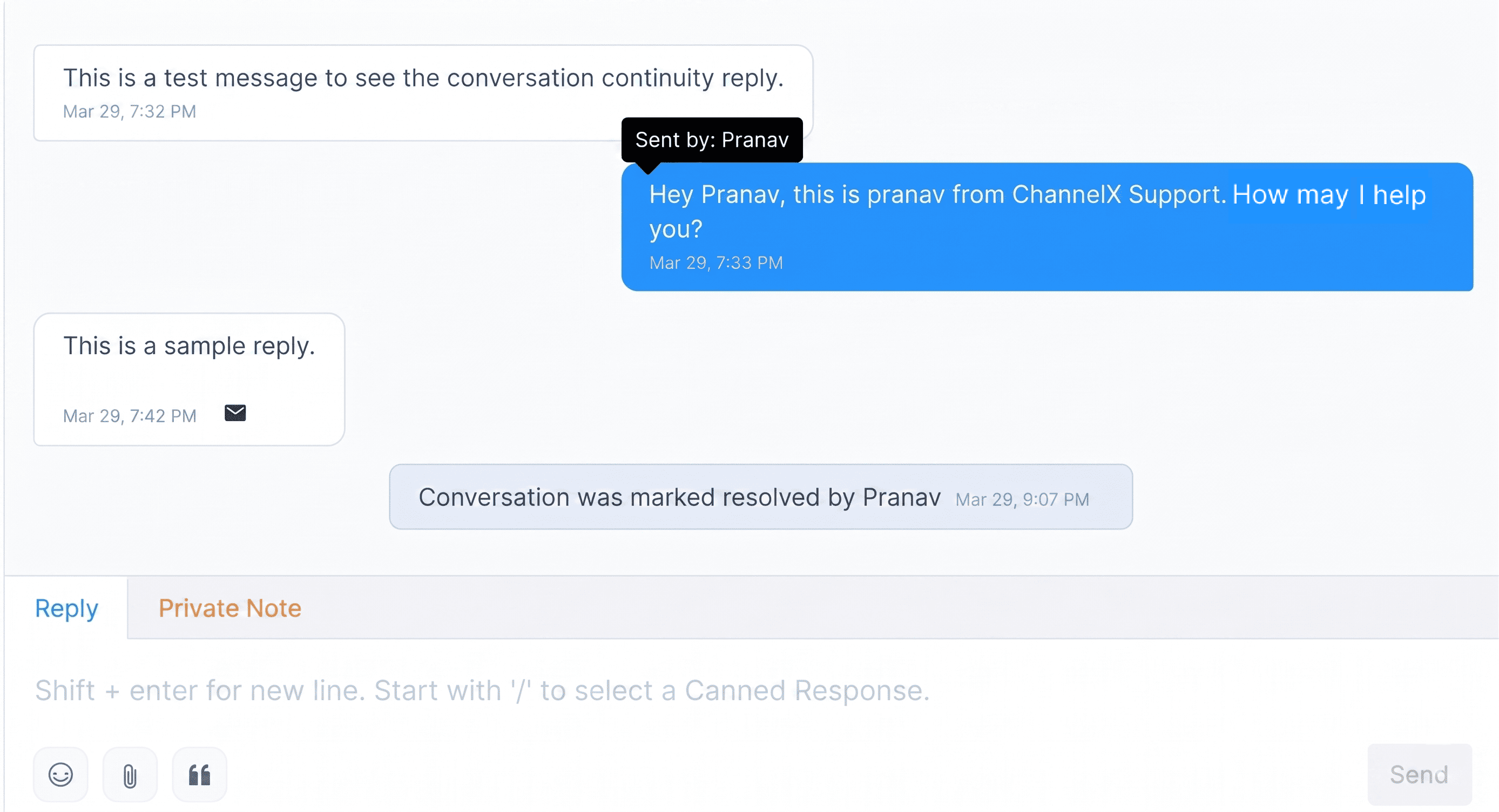
- The agent sees those email replies appear in ChannelX, threaded into the same existing conversation — no new conversation is created.
An email icon on the chat bubble in the dashboard signals that the customer's latest reply came in by email rather than the widget. The conversation stays unified, so neither side has to start over.
Self-hosted setups
On a self-hosted Localcom deployment, conversation continuity must be enabled in your installation's configuration before email replies will thread back into conversations. Confirm it's switched on with your administrator.
Common questions
What if the contact has no email address? Continuity can't happen — there's nowhere to send the transcript. Use the pre-chat form or the email collect prompt to capture one.
Does the customer's reply start a new conversation? No. Replies thread into the original conversation so the full history stays in one place.
How do I know a reply came in by email? An email icon appears on the chat bubble in the dashboard for that message.