Voice
ChannelX treats voice as a first-class channel. Through Localcom's Nexus UC platform, phone calls flow into the same shared inbox your team already uses for WhatsApp, email, social, and chat — so an agent can move between a chat conversation and a live call without switching tools.
How voice works as a channel
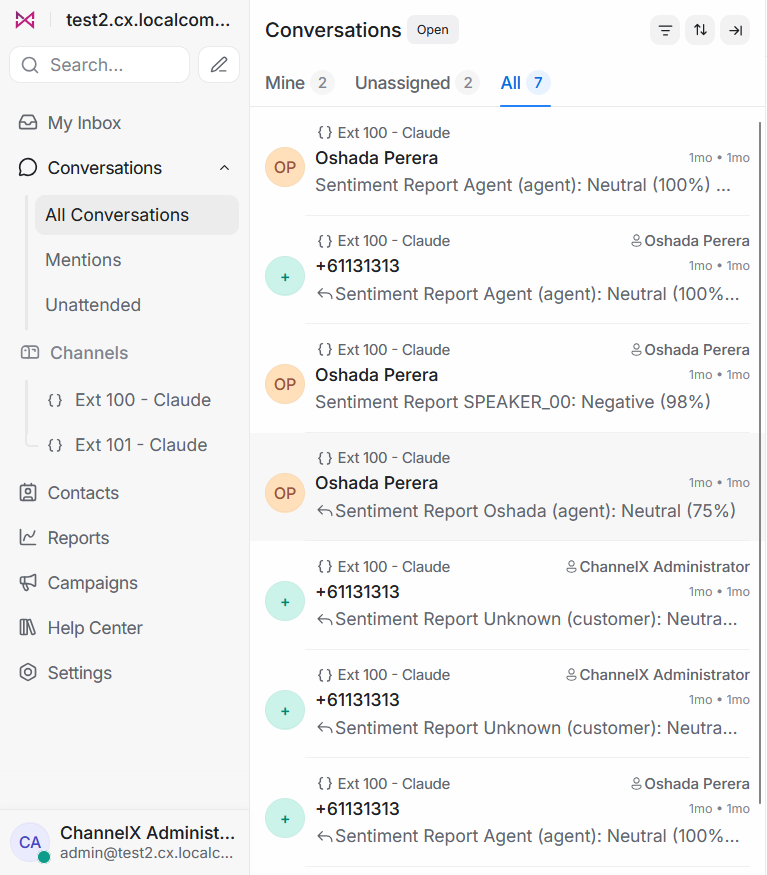
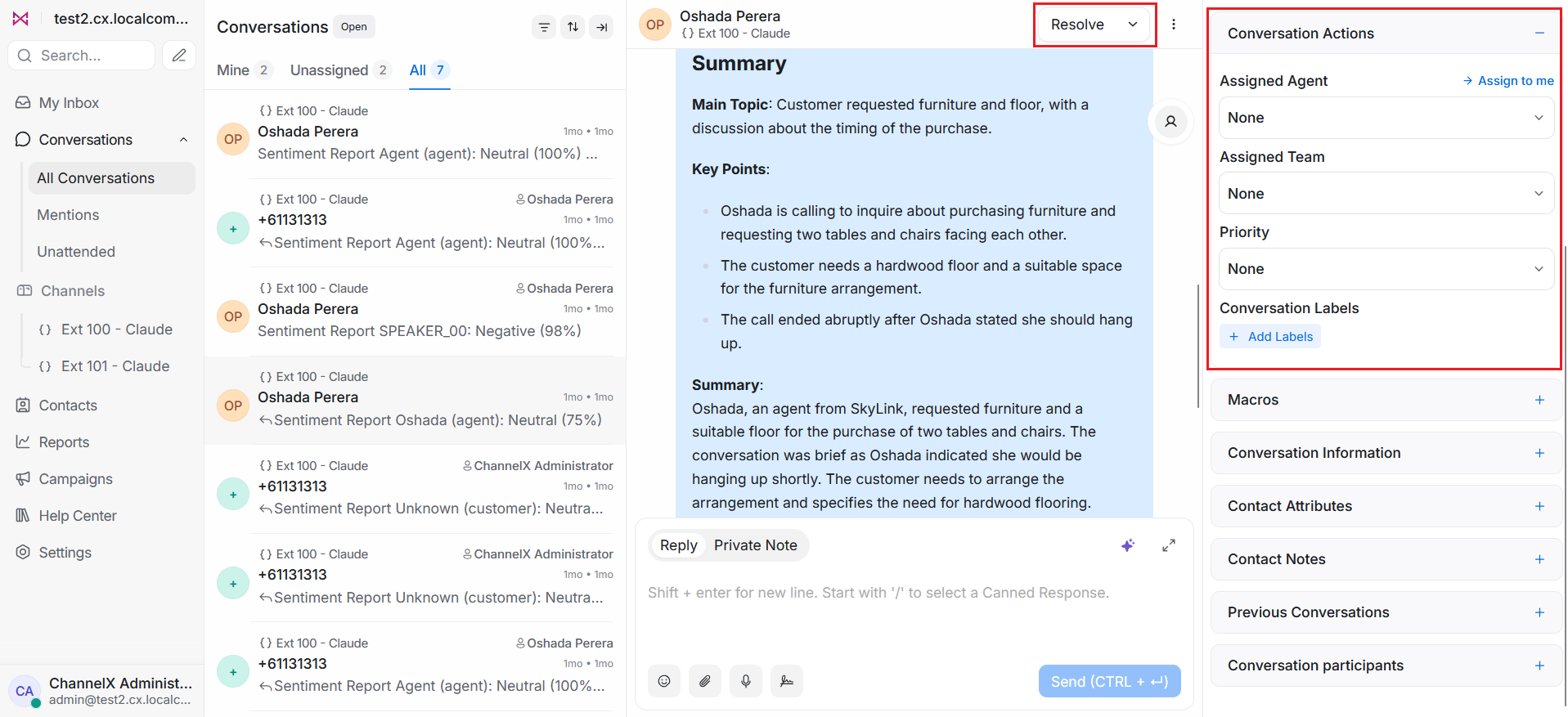
Each inbound or outbound call surfaces in ChannelX as a conversation, just like a message thread. That means a call carries the same context as any other channel:
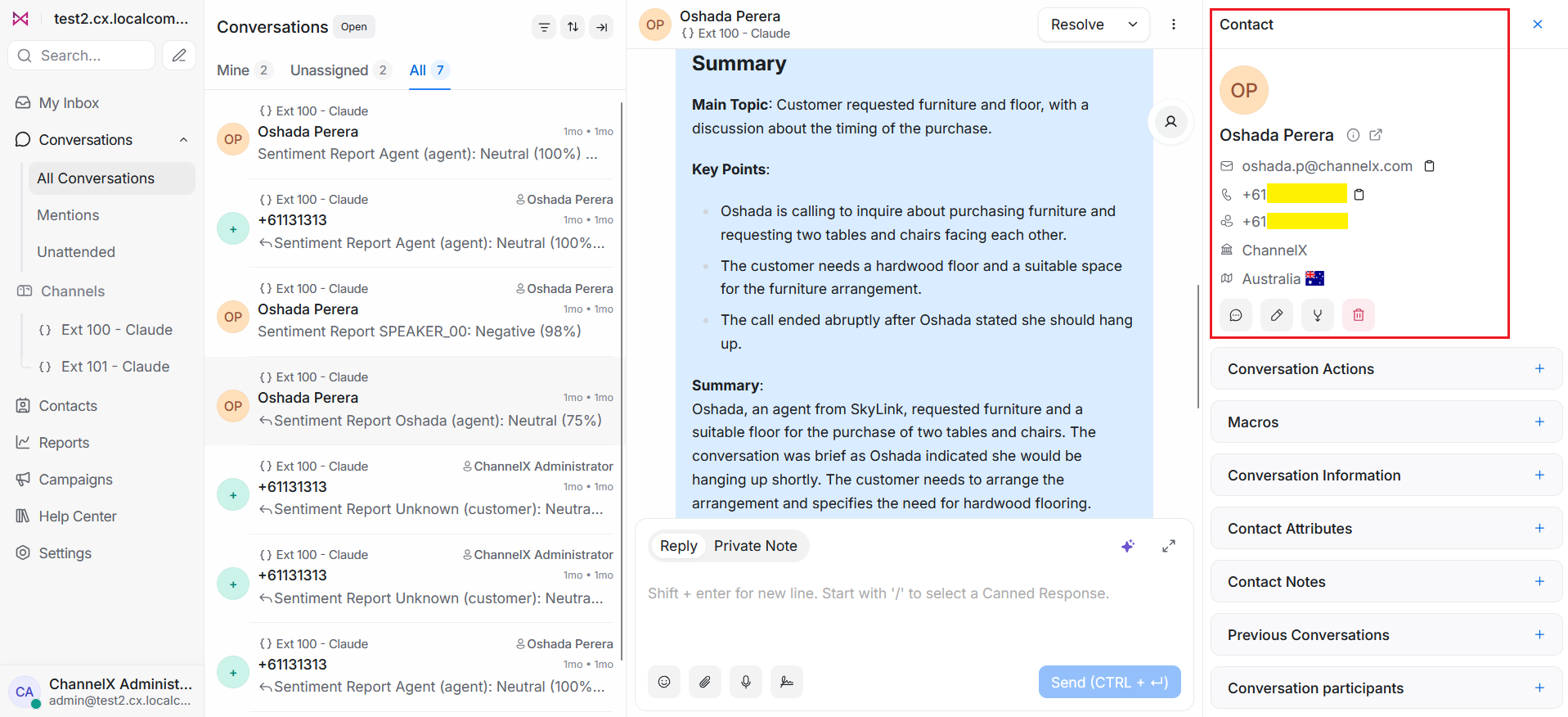
- It is tied to a contact, so an agent sees the caller's history across every channel in one place.
- It can be assigned, labelled, and resolved using the same routing and workflow rules as text conversations.
- It appears in your unified inbox alongside other channels, so agents work calls without leaving ChannelX.
Inbound and outbound calls
- Inbound — When a customer calls, Nexus UC routes the call to an available agent and opens (or links it to) a conversation in ChannelX. The agent answers using the in-browser softphone (Under Development).
- Outbound — Agents can place calls to a contact directly from the conversation, keeping the call recorded against that contact's history.
Transcription and AI analysis
Since each call is a conversation, it can be enriched the same way other channels are. Calls can be transcribed, and the transcript can be analysed by Localcom AI to support your team — for example by summarizing what was discussed, capturing follow-up actions, or surfacing sentiment.
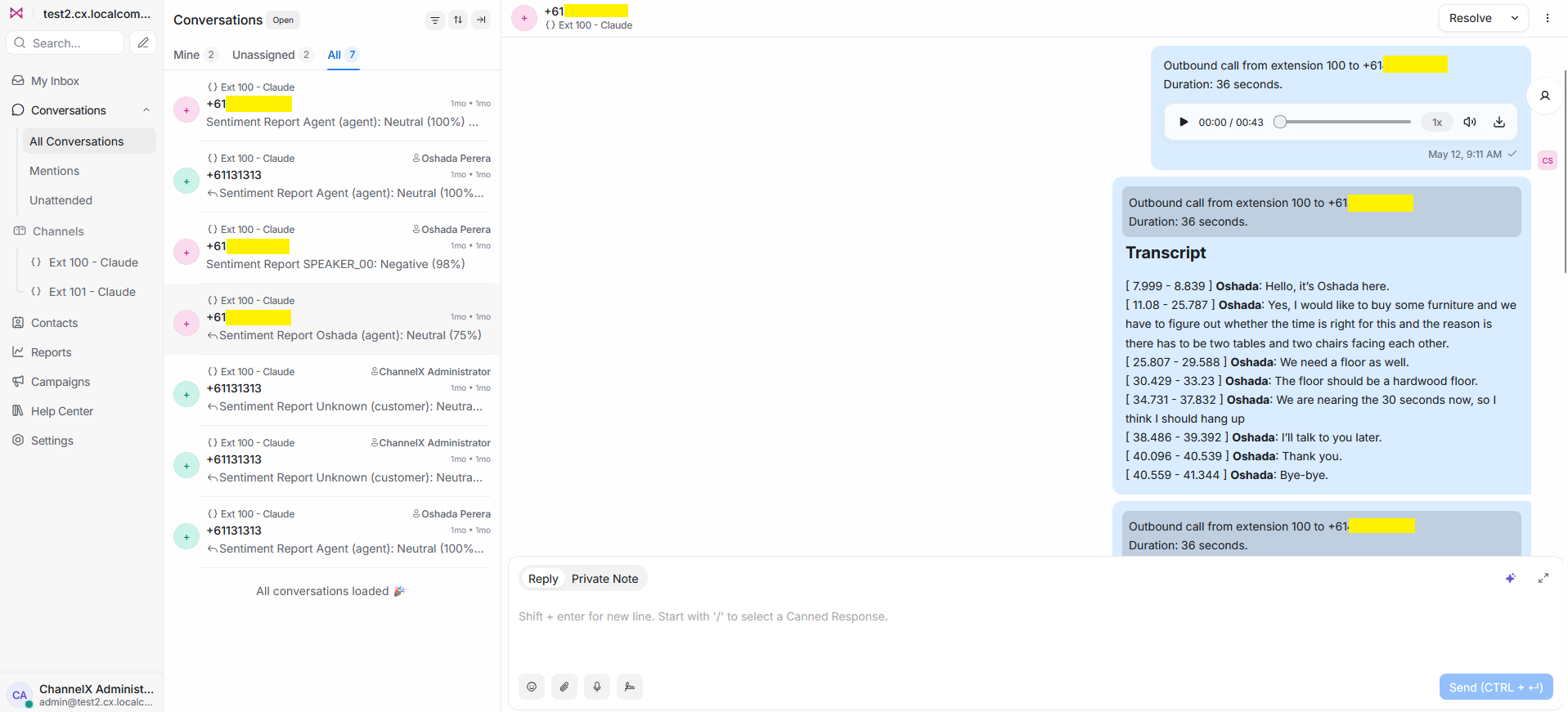
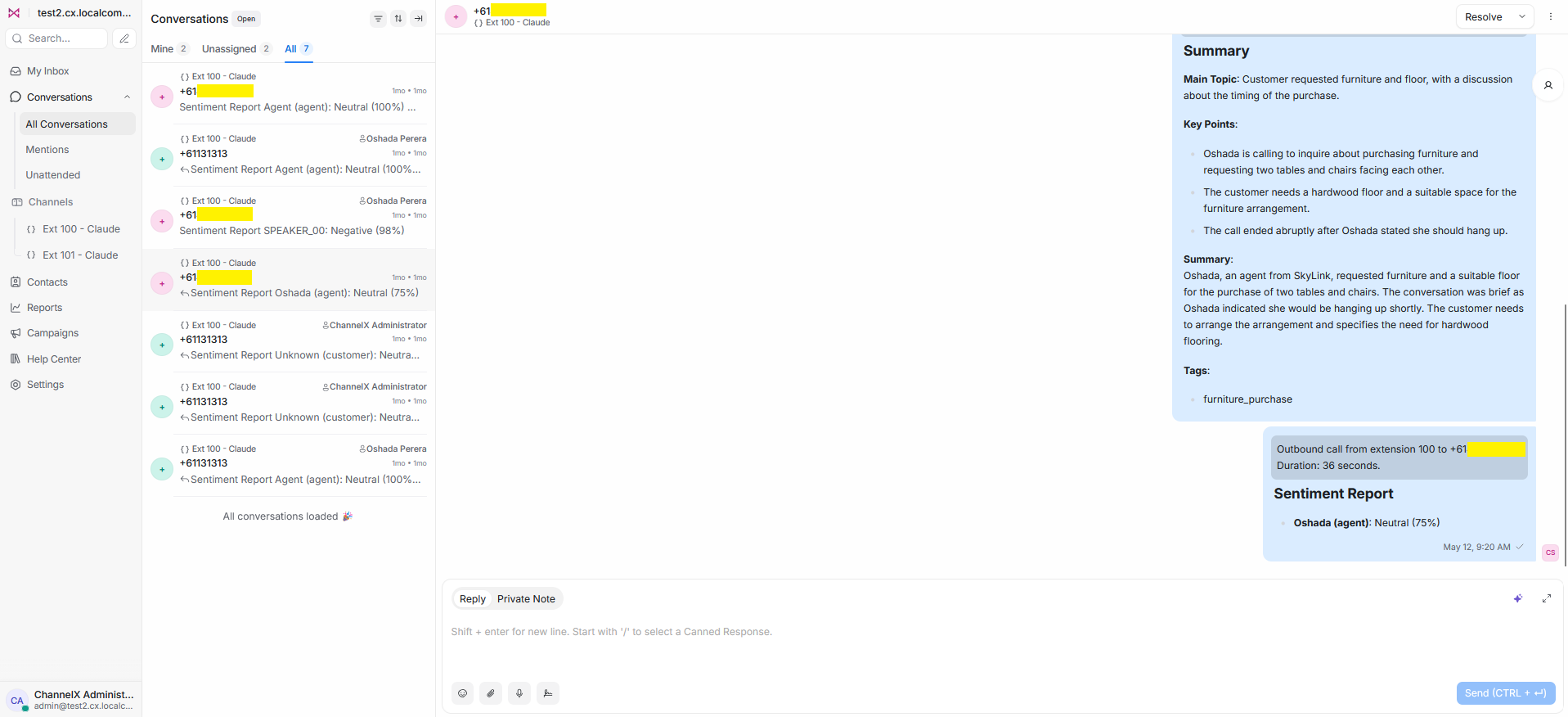 This keeps a searchable record of voice interactions next to your written ones, so nothing important is lost when a conversation happens over the phone.
Working calls alongside other channels
For an agent, a call is just another item in the inbox. The same conversation view, contact panel, notes, labels, and reporting apply, which keeps the experience consistent no matter how a customer reaches you. Supervisors get a single picture of workload and performance across voice and digital channels together.
Note
The exact softphone and Nexus UC configuration steps — provisioning numbers, routing rules, agent device setup, and which AI features are enabled — depend on your specific deployment. Confirm the precise setup with your Localcom team before rolling voice out to agents.